Your generated variable will appear here...
How to Use the Generated Cooldown Variable
Follow these steps to implement your cooldown variable:
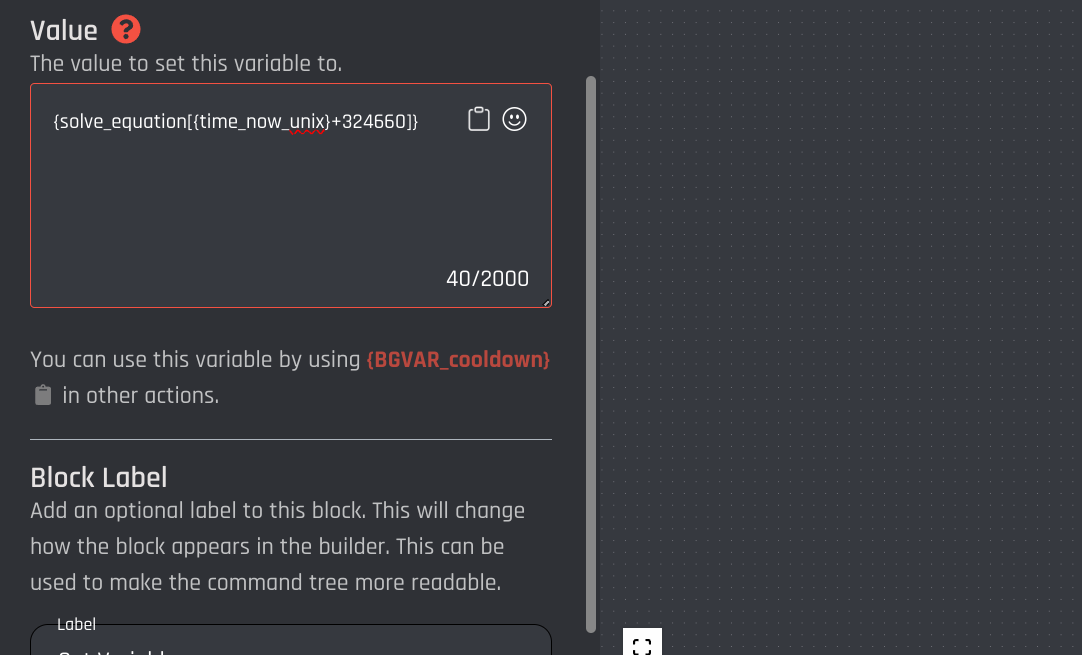
- Create a Set Variable Block:
Use the generated variable in a Set Variable Block in your BotGhost setup. Assign the generated variable to the custom variable, you will use the custom variable your comparison condition.
Example Set Variable Block
- Set Up the Comparison Condition:
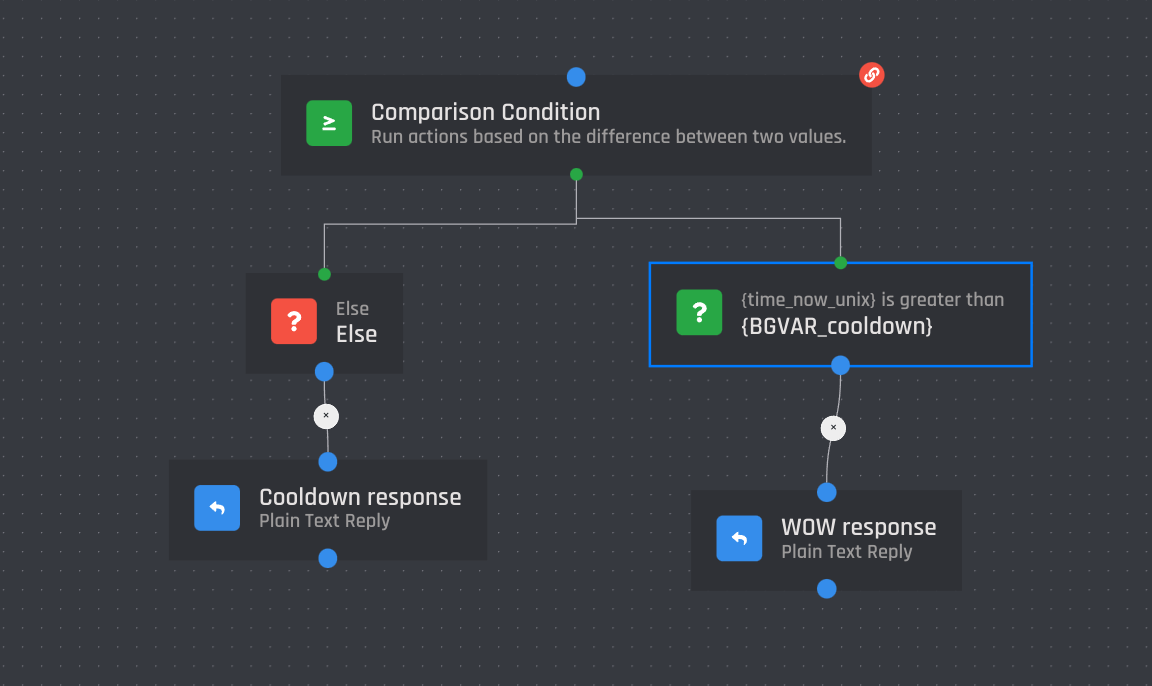
Use the custom variable from the Set Variable Block in a Comparison Condition. Set the following parameters:
- Base Value: {time_now_unix}
- Comparison Value: Your custom variable name
- Comparison Type: Greater than
If the base value is NOT greater than the comparison value, deny usage of the command.
Example Comparison Condition